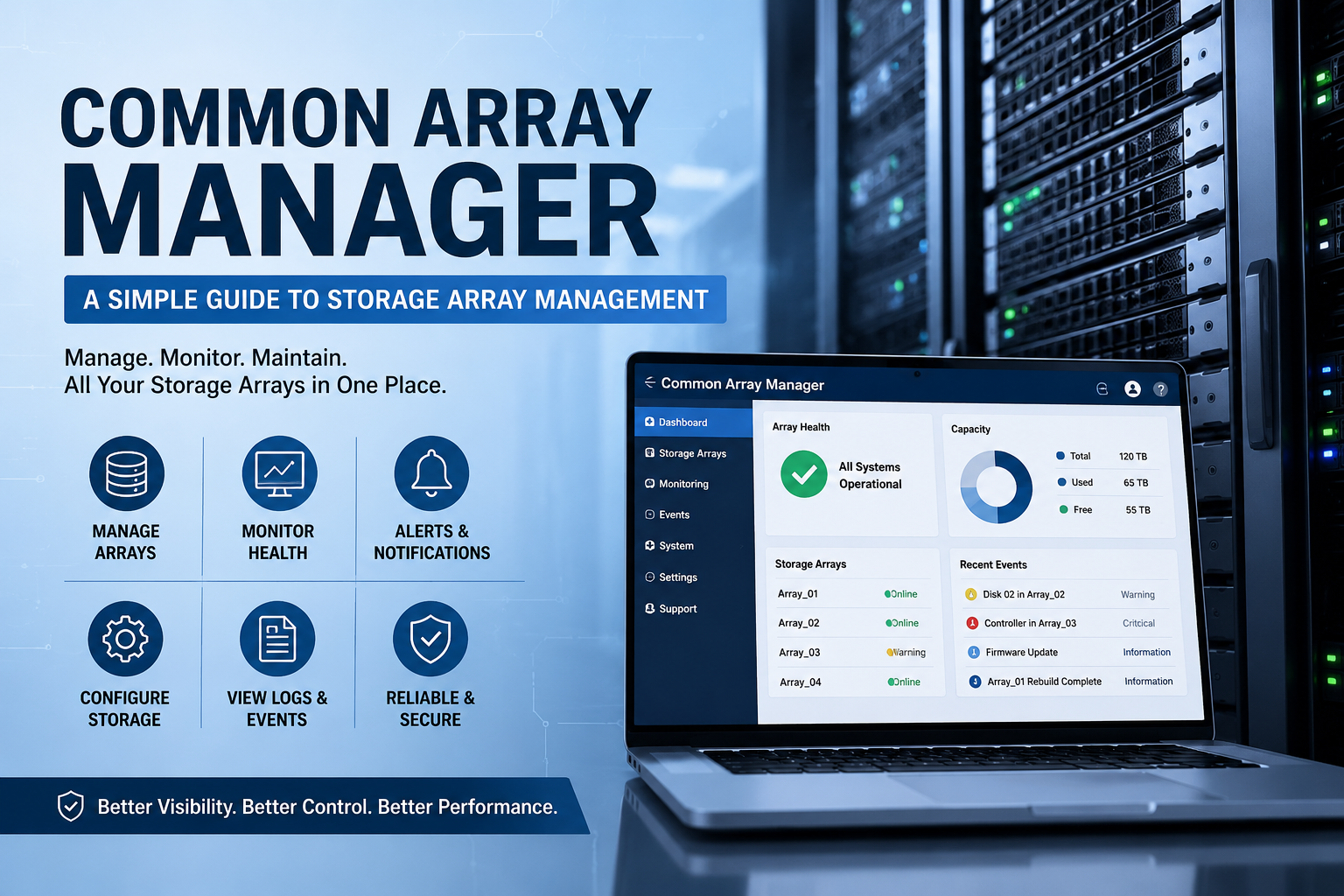
Common Array Manager is a storage management tool used to manage, monitor, and control storage arrays. It is mostly linked with Oracle and Sun Storage systems. In simple words, it helps system administrators look after storage devices from one place. A storage array can have many disks, controllers, volumes, and other parts. Managing all these things manually can be difficult, especially in a business or data center environment. Common Array Manager makes this work easier by giving users a central system to manage storage hardware miuzo
What Is Common Array Manager?
Common Array Manager is a software application designed to manage storage arrays. It gives administrators a way to configure storage systems, check device status, monitor errors, and manage storage resources. It can be used through a browser-based interface and also through a command-line interface. This makes it useful for both normal management tasks and advanced technical work.
The browser interface is helpful because it gives a visual way to manage storage. Administrators can log in, view connected arrays, check their status, and make changes through menus and settings. The command-line interface is useful for users who prefer direct commands or need to automate storage tasks.
Common Array Manager is especially useful in environments that use Sun Storage, StorageTek, FlexLine, or Oracle storage arrays. It is mainly used in traditional enterprise storage systems where dedicated storage hardware is installed in a server room or data center.
Why Common Array Manager Is Important
Storage management is not only about saving files. It includes planning, organizing, protecting, and monitoring data storage. A storage array may include many hard drives or solid-state drives. These drives work together to provide larger capacity, better speed, and stronger data protection.
Common Array Manager helps administrators with important tasks such as:
- Finding and adding storage arrays
- Creating and managing storage volumes
- Checking disk and controller health
- Monitoring alerts and system warnings
- Managing firmware and compatibility
- Viewing logs and system events
- Supporting troubleshooting and maintenance
- Controlling storage access and configuration
Without a proper management tool, it can be difficult to know when a disk is failing, when a controller has an issue, or when storage performance is going down. Common Array Manager gives clear information so that problems can be handled quickly.
Main Features of Common Array Manager
Common Array Manager includes several useful features that make storage administration easier. It is built to support both simple and advanced management needs.
| Feature | Simple Explanation | Main Benefit |
|---|---|---|
| Browser-based interface | Allows users to manage arrays using a web browser | Easy to use and understand |
| Command-line interface | Allows users to manage storage through commands | Useful for experts and automation |
| Array discovery | Finds connected storage arrays | Saves time during setup |
| Health monitoring | Shows the status of disks, controllers, and other parts | Helps detect problems early |
| Alerts and warnings | Sends or shows messages when something is wrong | Helps prevent downtime |
| Configuration management | Allows users to create and manage storage settings | Gives better control |
| Firmware support | Helps check software and hardware compatibility | Keeps systems stable |
These features make the tool helpful for IT teams that manage storage systems in offices, data centers, universities, banks, hospitals, and other organizations.
How Common Array Manager Works
Common Array Manager usually works from a management host. A management host is a server or computer where the software is installed. This host connects to the storage arrays through a network or management path. After the arrays are connected and discovered, administrators can start managing them.
The basic working process is simple:
- Install Common Array Manager on a supported system.
- Connect the storage array to the network.
- Discover the array using the management software.
- Log in to the browser interface or CLI.
- Check the array status and configuration.
- Create or manage volumes and storage settings.
- Monitor alerts, logs, and performance.
- Maintain firmware and hardware health.
This process helps administrators manage storage in a structured way. Instead of checking each part manually, they can use the software to view the full storage environment.
Supported Storage Systems
Common Array Manager is known for supporting different Sun, Oracle, StorageTek, and FlexLine storage arrays. The exact supported models depend on the software version, firmware level, and system requirements. Before installing or using the tool, administrators should always check the official compatibility information for their hardware.
| Storage Family | Example Use | Why It Matters |
|---|---|---|
| Sun Storage Arrays | Enterprise storage management | Used in many traditional data centers |
| StorageTek Arrays | Large-scale storage environments | Helpful for business and backup systems |
| FlexLine Arrays | Flexible storage solutions | Useful for mixed storage needs |
| Oracle Storage Systems | Oracle-supported environments | Good for organizations using Oracle hardware |
| Legacy Storage Arrays | Older storage infrastructure | Helps maintain older but active systems |
In modern IT environments, many companies now use cloud storage or newer storage dashboards. However, Common Array Manager can still be important for organizations that continue to use older supported storage hardware.
Browser Interface in Common Array Manager
One of the useful parts of Common Array Manager is its browser-based interface. This interface allows users to manage storage arrays through a web browser. The user does not always need to work directly from the storage device. Instead, they can open the management page, log in, and view the storage system.
The browser interface can help users:
- View storage array status
- Check disk health
- Look at controller information
- Create or manage storage volumes
- Review warning messages
- Access system logs
- Perform basic maintenance tasks
This type of interface is useful because it is easier to understand than command-only systems. It also helps less experienced administrators perform daily storage tasks with more confidence.
Command-Line Interface in Common Array Manager
Common Array Manager also includes a command-line interface. This is useful for advanced users who want more control. Instead of clicking through menus, administrators can type commands to perform actions.
The command-line interface is helpful when:
- A task needs to be repeated many times
- The administrator wants to automate work
- The browser interface is not available
- Advanced troubleshooting is needed
- Faster access to technical functions is required
For example, an administrator may use CLI commands to check array status, list storage devices, or manage configuration settings. The CLI can save time in large environments where many arrays or volumes need to be managed.
Benefits of Common Array Manager
Common Array Manager offers many benefits for storage administrators and organizations. Its biggest benefit is centralized storage control. It gives IT teams one place to manage storage arrays instead of handling everything separately.
Important benefits include:
- Easier storage administration
- Better visibility of array health
- Faster problem detection
- Central control of storage settings
- Support for both browser and command-line use
- Better planning for maintenance
- Improved troubleshooting process
- Reduced risk of unnoticed hardware failure
When storage systems are monitored properly, organizations can reduce downtime and protect important data. Common Array Manager helps by making storage status more visible and easier to manage.
Common Problems and Simple Solutions
Like any management software, Common Array Manager may sometimes face problems. These problems can be related to network settings, browser access, array discovery, permissions, or firmware compatibility. Many issues can be solved by checking the basic setup first.
| Problem | Possible Reason | Simple Solution |
|---|---|---|
| Array is not detected | Network connection issue or wrong management path | Check cables, IP address, and network settings |
| Cannot log in | Wrong username, password, or service issue | Check login details and restart required services |
| Browser page not opening | Browser compatibility or server issue | Try another browser or check management host |
| Alerts are showing | Disk, controller, or configuration issue | Read alert details and inspect hardware status |
| Firmware warning | Firmware version may not match requirements | Check supported firmware and update if needed |
| Slow performance | Storage load, disk issue, or configuration problem | Review performance data and system logs |
Troubleshooting should always be done carefully. Storage systems contain important data, so administrators should avoid making changes without understanding the impact.
Best Practices for Using Common Array Manager
To use Common Array Manager safely and effectively, administrators should follow good storage management practices. A storage system should not be changed without planning. Even a small mistake in storage configuration can affect applications and users.
Useful best practices include:
- Keep storage documentation updated.
- Check alerts and warnings regularly.
- Review disk and controller health often.
- Use strong login credentials.
- Keep firmware versions compatible.
- Take backups before major changes.
- Avoid unnecessary configuration changes.
- Use CLI only when commands are fully understood.
- Monitor storage capacity before it becomes full.
- Record all major maintenance activities.
These practices help keep the storage environment stable and reliable. They also make it easier to solve problems when something goes wrong.
Common Array Manager in Modern IT Environments
Today, many organizations are moving toward cloud storage, virtual storage, and modern software-defined storage platforms. These systems often come with their own dashboards and management tools. Because of this, Common Array Manager is more commonly found in older or traditional enterprise storage environments.
Still, it can remain useful where supported Sun, Oracle, or StorageTek systems are still active. Many organizations do not replace storage hardware quickly because storage systems can be expensive and may continue working for many years. In these cases, Common Array Manager helps maintain and monitor existing infrastructure.
It is especially useful when an organization needs to support legacy applications, older servers, or traditional data center systems. As long as the hardware is still supported and the tool is working properly, it can continue to provide value.
Who Uses Common Array Manager?
Common Array Manager is mainly used by IT professionals who manage storage systems. These users may work in different industries, but their goal is usually the same: keep data storage stable, available, and secure.
Common users include:
- System administrators
- Storage administrators
- Data center engineers
- IT support teams
- Infrastructure managers
- Technical consultants
- Enterprise hardware support teams
These users need clear information about storage devices, hardware condition, configuration settings, and system alerts. Common Array Manager gives them tools to manage these tasks more effectively.
Conclusion
Common Array Manager is a useful storage management tool for managing supported Sun, Oracle, StorageTek, and related storage arrays. It helps administrators configure arrays, monitor hardware health, manage storage settings, and solve problems through a browser interface or command-line interface. Although many modern companies now use newer storage platforms and cloud-based systems, Common Array Manager is still important in environments that depend on traditional storage arrays. It gives IT teams better control, better visibility, and a more organized way to manage storage hardware.